Check Website Metadata Instantly
Most SEO conversations start with content and backlinks. Metadata rarely gets the spotlight, and that’s exactly why so many otherwise solid pages underperform. Your title tag is the first thing Google reads when it crawls a page. Your meta description is what convinces a searcher to click. Get either one wrong, and you’re leaving rankings and traffic on the table before the page even has a chance to compete.
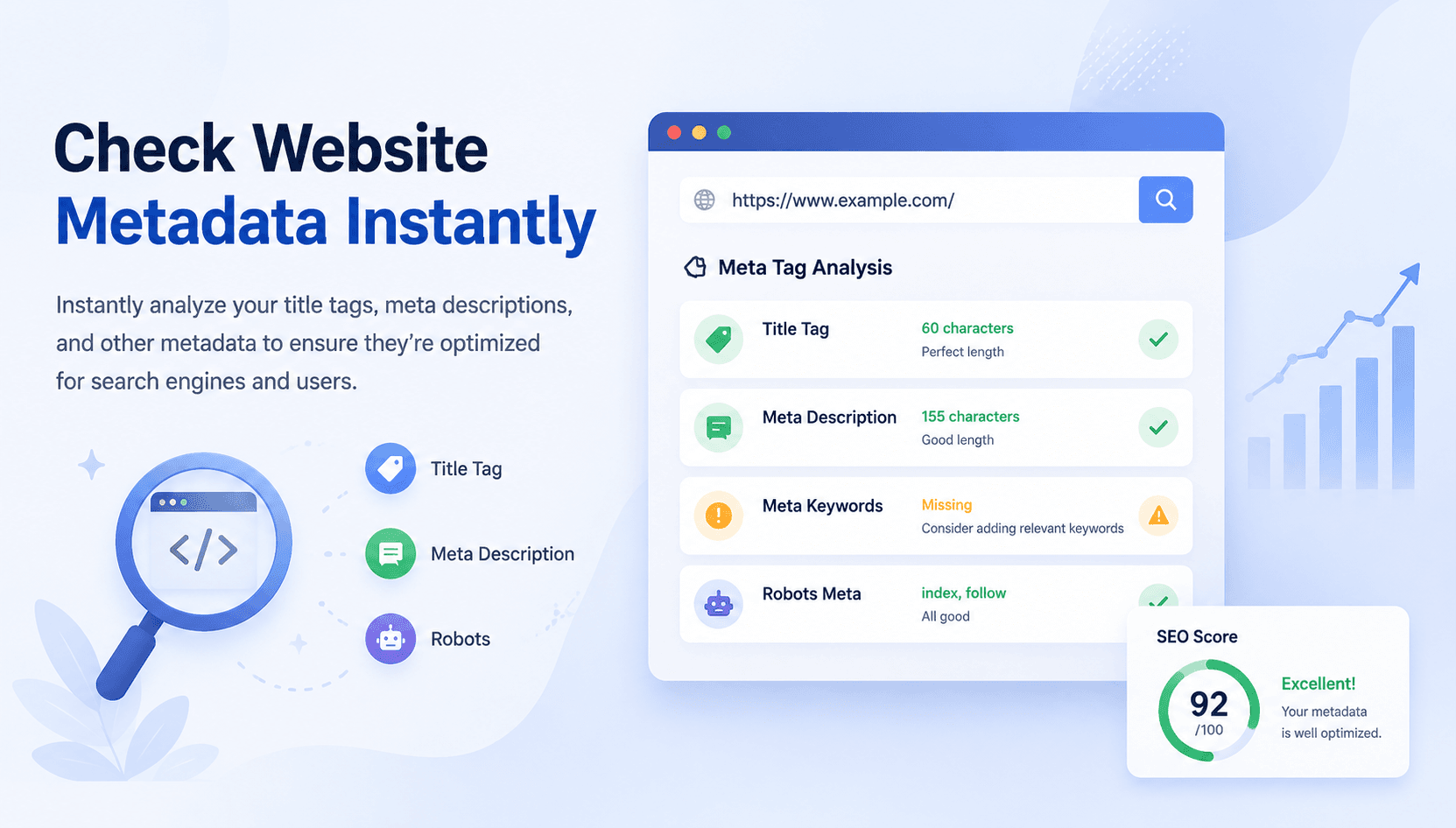
Growmatix’s free meta tag analyzer gives you an instant read on how your page metadata is set up, what’s working, what’s broken, and what needs fixing before it costs you visibility.
Google Shows ~580px of Your Title on Desktop — Choose Wisely
Meta descriptions start fading after ~920px on desktop and ~980px on mobile. Bing and Yahoo follow the same ~980px cutoff, so keep it clean and punchy.
Definition
“Meta tags are HTML elements in a webpage’s <head> section that communicate page information to search engines and browsers. They are not visible to readers on the page itself, but they directly influence how your content appears in search results, how it’s indexed, and whether it earns clicks.”
What Are Meta Tags in SEO?
The three meta tags that matter most for SEO are your title tag (the clickable headline in search results), your meta description (the short summary beneath it), and your canonical tag (which tells Google which version of a page is the authoritative one). Beyond those, robots meta tags, Open Graph tags, and viewport tags round out a complete metadata setup.
Technical SEO lives and dies in these elements. A missing title tag, an over-length description, or a misconfigured canonical can quietly suppress rankings for months without triggering any obvious error in your CMS. A proper technical SEO audit can fix it.
How to Check Meta Tags Using This Tool
The meta tag checker is built for speed. No login, no setup, no waiting for a crawl to finish across 500 pages. Here’s how to use it:
For teams running audits at scale, the workflow is straightforward: pull your key URLs, run them through the AI meta tag analyzer one by one, log the issues, and batch your fixes. It’s a reliable first step in any technical SEO audit process.
<head> section and surface every metadata element in a clean, readable format. Title tag, meta description, canonical URL, robots directives, Open Graph data, all pulled and displayed in seconds.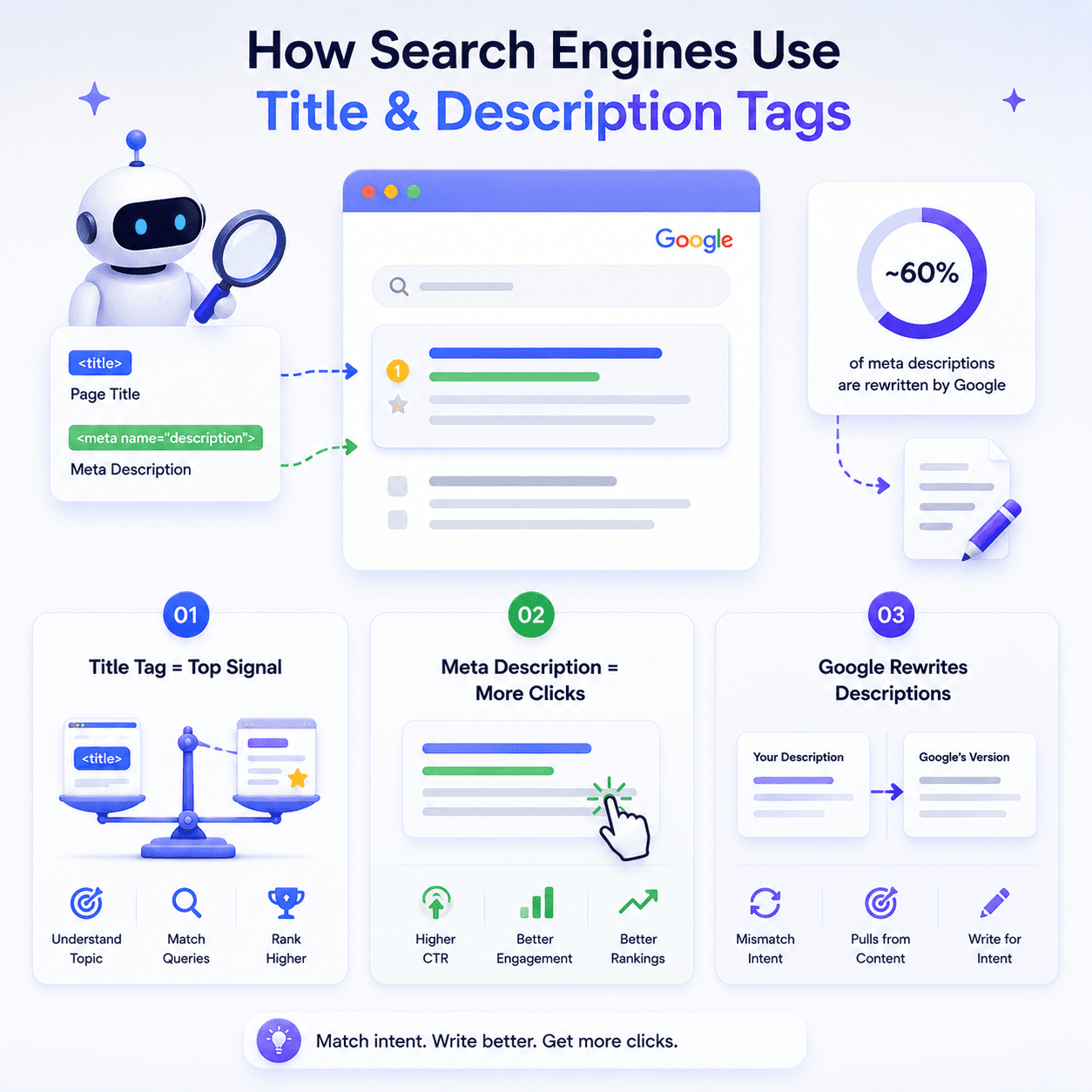
How Search Engines Use Title & Description Tags
Understanding what Google actually does with your metadata helps you write it better.
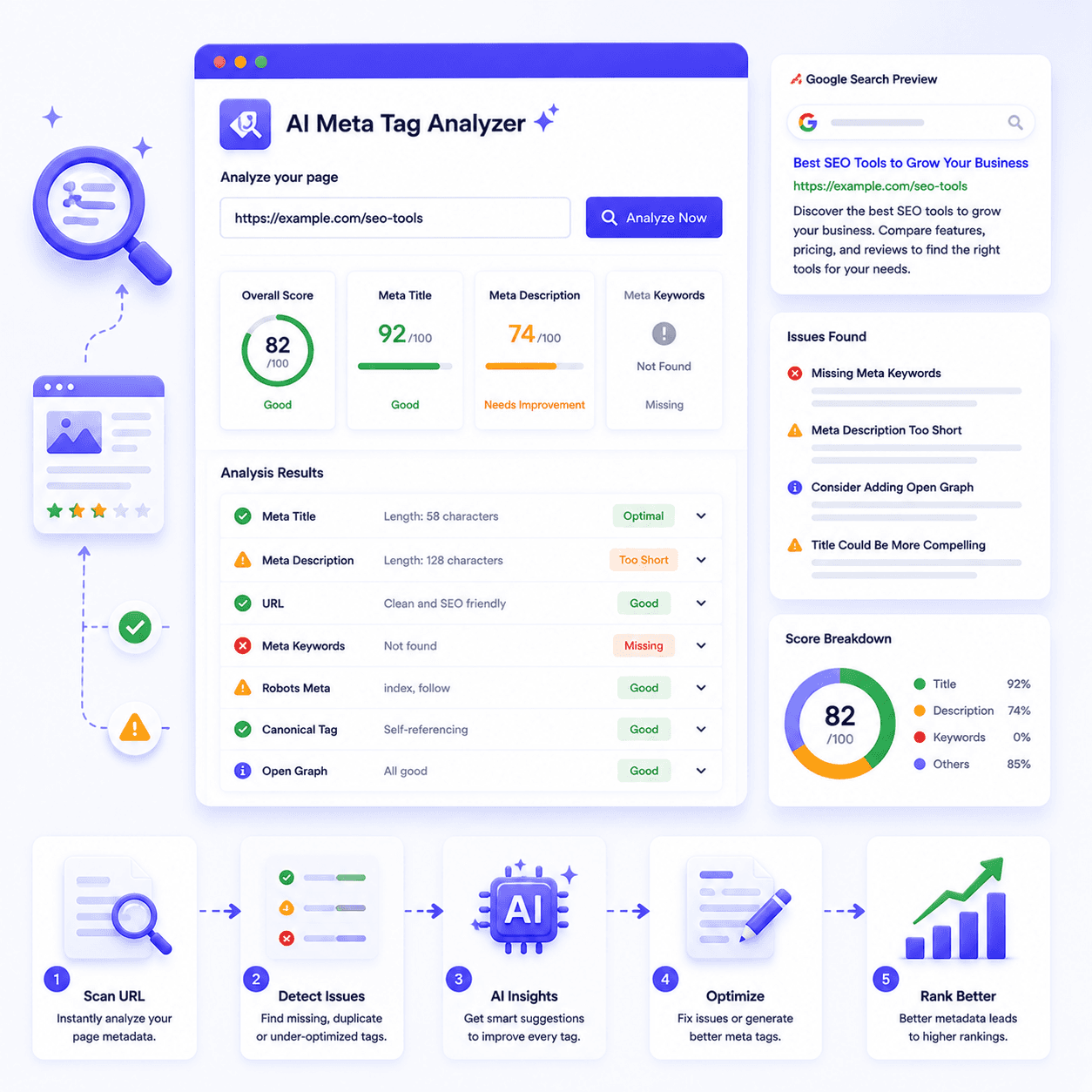
Your title tag is the single most heavily weighted on-page SEO element after your content itself. Google uses it to understand the primary topic of the page, match it to relevant queries, and generate the clickable headline in organic results.
Your meta description is not a direct ranking factor; Google has confirmed this repeatedly. But it is a major click-through rate factor, and CTR influences rankings indirectly. A compelling, well-written description that sets accurate expectations increases clicks.
Google rewrites meta descriptions roughly 60% of the time, pulling text from the page body instead of displaying what you wrote. This typically happens when your written description doesn’t closely match the query. The fix is writing descriptions that directly address the most common search intents for that page.
This is also where the gap between a standard free SEO audit tool and a smarter on page SEO checker matters. Basic tools tell you character counts. A more useful tool surfaces whether your metadata is aligned with search intent, which is the actual problem most of the time.
Common Metadata Errors to Avoid
These are the issues that show up most consistently across site audits, and the ones with the most direct impact on rankings and click-through rates.
Missing or duplicate title tags
Every page needs a unique title tag. Duplicate titles across multiple pages confuse Google about which page should rank for a given query, often resulting in neither ranking well. The meta tag checker flags both missing tags and exact duplicates immediately.
Over-length title tags
Google truncates titles beyond roughly 60 characters in search results. Important keywords buried in a long title often get cut off entirely. Keep your primary keyword within the first 50-55 characters.
Stuffed or missing meta descriptions
A missing meta description means Google will auto-generate one, usually pulled from random body text that doesn’t represent the page well. Write them for humans first, include one natural keyword, and stay under 155 characters.
Misconfigured canonical tags
A canonical pointing to the wrong URL or being absent entirely on paginated or filtered pages can cause Google to index the wrong version of your content.
Robots meta tag conflicts
A page accidentally tagged noindex won’t appear in search results. It happens more often than you’d think after CMS migrations, staging environment pushes, or plugin updates. Always verify robots directives on any page you expect to rank.
On-Page SEO Checklist for Metadata
Run every important page against this checklist before publishing, and whenever you’re conducting a technical SEO audit of an existing site with an on-page SEO checker:
Pairing this checklist with the AI Blog Outline Generator gives you a complete pre-publish workflow handled before you hit the publish button.
Title tag present and unique
no duplicates across the domain
Title tag between 50-60 characters
primary keyword appears within the first 55
Meta description written
not auto-generated by the CMS
Meta description between 140-155 characters
complete sentence, no truncation
Canonical tag present
pointing to the correct, preferred URL
No accidental noindex directives
especially on newly published pages
Open Graph title and description set
for accurate social sharing previews
Viewport meta tag present
required for mobile-friendly rendering signals
Conclusion
Metadata errors are silent. They don’t throw warnings in your CMS, and they don’t show up in analytics until rankings have already slipped. Running a quick check with a reliable meta tag analyzer takes two minutes and can surface issues that have been quietly suppressing performance for months.
Audit your metadata. Fix what’s broken. Then let the AI Meta Tag Generator rewrite anything that isn’t working, and pair it with the AI Blog Outline Generator to make sure the content behind your metadata is just as strong.
Ready to Fix Your Metadata?
Analyze your website’s metadata and fix any issues that may be affecting your search engine rankings.
Try the Meta Tag Analyzer Free