Notify Search Engines About New Content
Publishing new content and waiting for Google to find it on its own is a passive strategy, and in competitive niches, passive doesn’t cut it. Search engines crawl the web on their own schedule, which means a freshly published post or updated page could sit unindexed for days or even weeks without any nudge. That’s where the ping submission comes in. It’s one of the oldest indexing acceleration techniques in SEO, and when used correctly, it still does exactly what it’s supposed to: tell search engines that something new is waiting to be crawled.
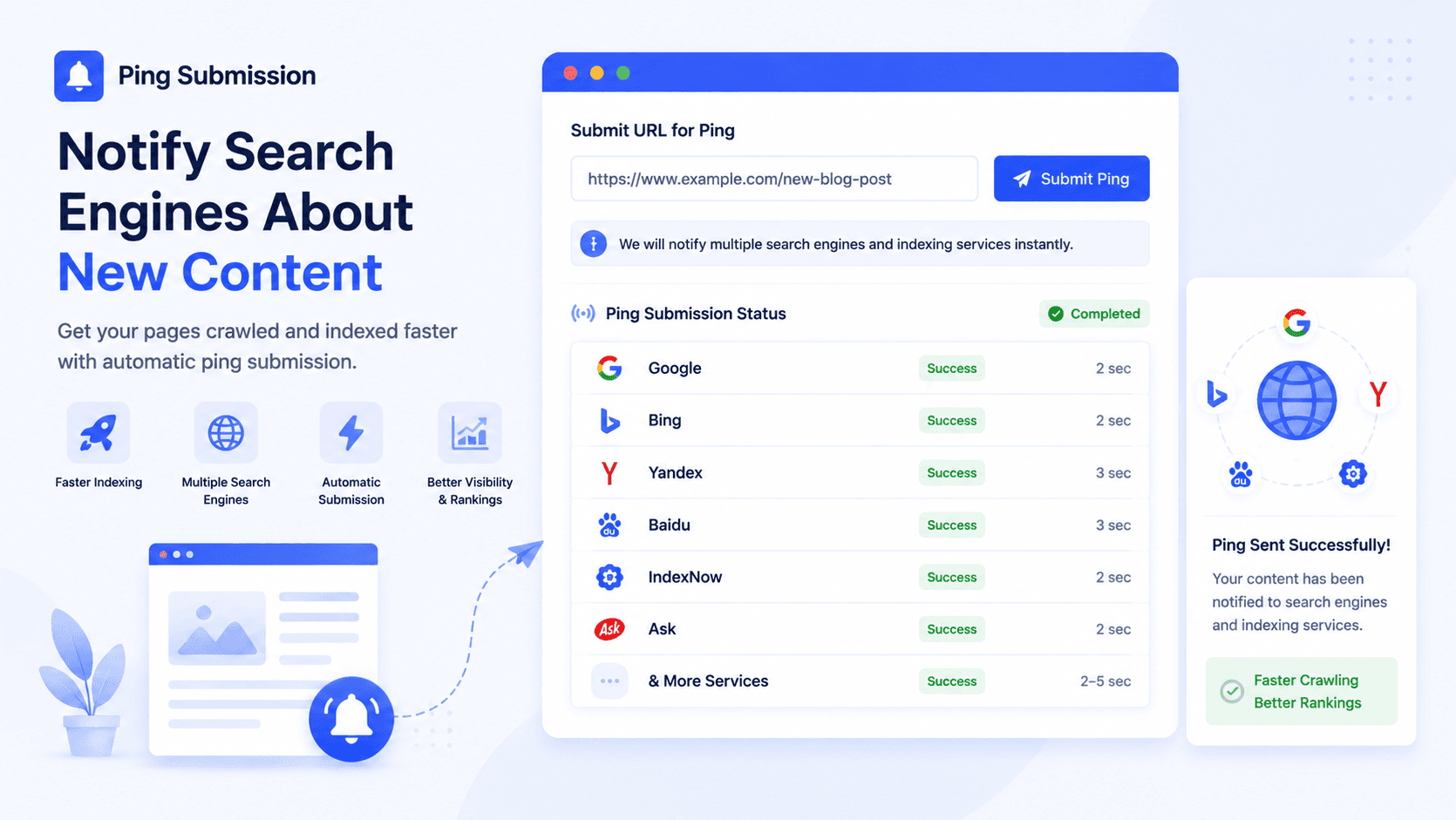
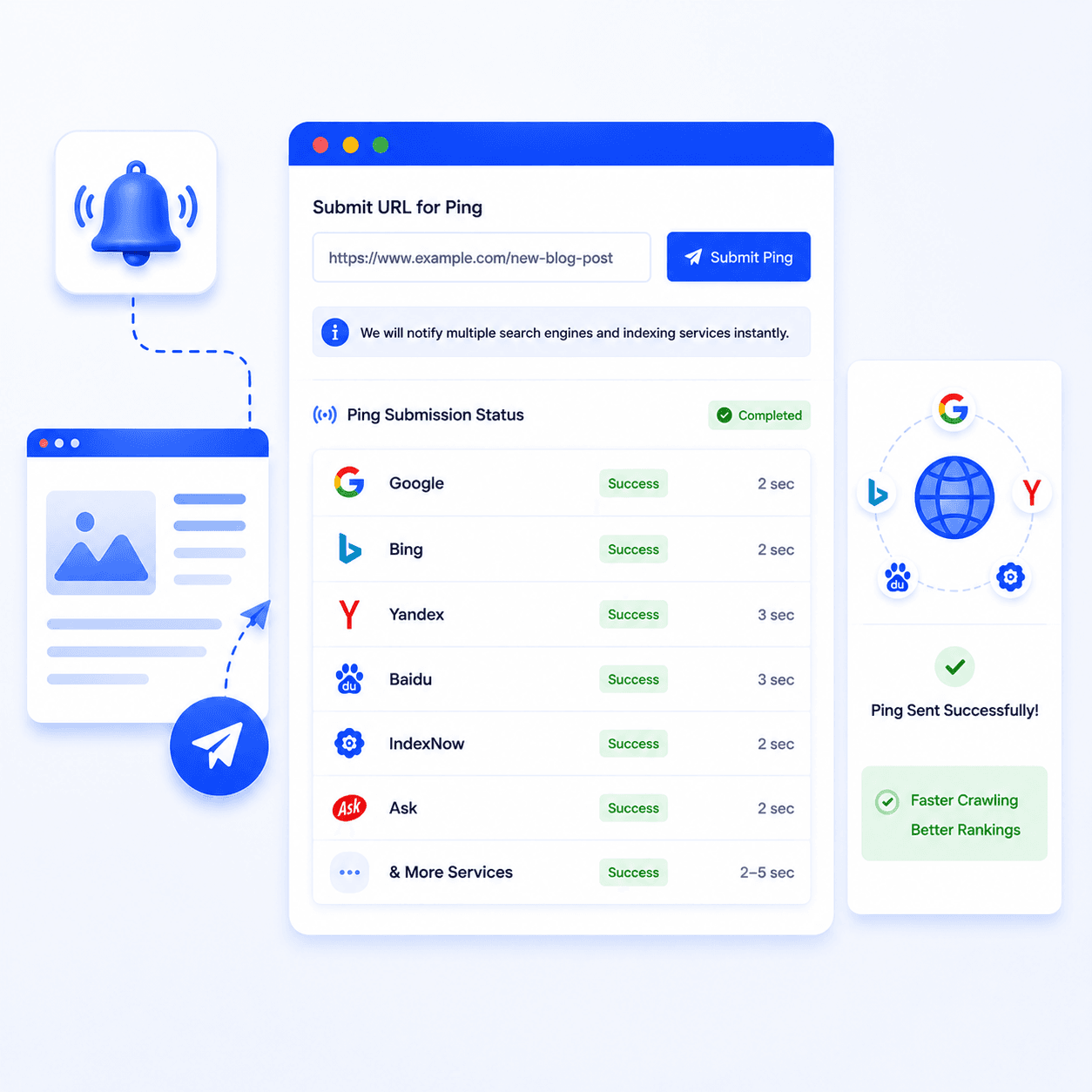
Growmatix’s free ping submission tool sends that notification automatically to multiple search engines and indexing services simultaneously, so your content gets into the crawl queue faster.
Definition
“Ping submission is the process of sending an automated notification signal to search engines and web services to alert them that a website’s content has been created or updated, prompting faster crawling and indexing of the new or changed pages.”
What Is Ping Submission?
The term “ping” comes from network terminology; it’s essentially a signal that says, “something changed here, come look.” When you publish a new blog post or update an existing page, pinging search engines pushes that URL into active crawl queues rather than waiting for their bots to rediscover it during a routine crawl cycle.
Historically, ping submission was built into most blogging platforms automatically. WordPress, for example, pinged services like Ping-O-Matic on every publish. As the web scaled up and crawlers became more sophisticated, automatic pinging became less universal, but the underlying mechanism still works, and for sites that need faster indexing, it remains a practical fast indexing tool among all technical SEO tools.
How Ping Services Work
When you submit a URL through a ping website tool, the tool sends an XML-RPC or HTTP request to a list of indexing services and search engine endpoints. This request contains your page URL and, in most cases, your site’s feed URL. The receiving service logs the notification and adds your URL to its crawl priority queue.
Add the page or post you want indexed, along with your site name for proper identification across receiving services.
The tool fires notifications to all configured endpoints simultaneously. No manual outreach to individual services, no repeated form submissions.
Check Google Search Console's URL Inspection tool within 24-48 hours to confirm the page has been crawled. For most sites, pinging noticeably shortens the gap between publish and index.
The practical effect is that instead of waiting for Googlebot or Bingbot to stumble across your new content during a scheduled crawl, you are actively flagging it for immediate attention.
This is why ping submission tools are often included among the most effective website indexing tools used in technical SEO workflows.
Growmatix’s notify search engines tool sends pings to multiple services in a single submission, including major search engine endpoints and aggregator services that syndicate crawl signals further. One submission, multiple notifications, minimal time investment.
When Should You Use a Ping Tool?
Not every page update warrants a ping, but these scenarios consistently benefit from one:
Publishing a new blog post
This is the most common use case. Fresh content has zero crawl history, meaning search engines have no established pattern for revisiting it. A ping puts it on the radar immediately rather than waiting for bots to discover it through your sitemap or internal links.
Updating an existing page
If you've made meaningful changes to a page, revised statistics, updated pricing, or refreshed a how-to section, pinging signals that the cached version is stale and a fresh crawl is needed.
Sitemap changes
When you add or restructure URLs in your sitemap, pinging your sitemap endpoint alongside Google Search Console submission creates a belt-and-suspenders approach to ensuring the new structure gets picked up quickly.
After technical fixes
If you've resolved a crawl error, fixed a canonical tag, or removed an accidental noindex directive, confirmed using the Meta Tag Analyzer, pinging prompts Google to re-evaluate the corrected page sooner rather than later.
New sites and low-authority domains
Established domains with strong crawl budgets get revisited frequently anyway. Newer sites with fewer inbound links and less crawl history benefit most from pinging because organic rediscovery is slower.
Ping Submission vs. Search Console Submission
Both methods accelerate indexing, but they work differently and serve complementary purposes.
| Factor | Ping Submission Tool | Google Search Console |
|---|---|---|
| Setup required | None, works instantly | Ownership verification needed |
| Engines notified | Multiple simultaneously | Google only |
| Best for | Quick, broad notification | Precise Google indexing control |
| Crawl priority | Adds to the queue | Direct URL inspection & request |
| Usage limit | Generally unrestricted | 10-12 URL requests/day |
| Access required | Public tool, no login | Site ownership verification |
| Sitemap support | Yes | Yes, with detailed reporting |
| Indexing guarantee | No | No |
The honest answer is you don’t have to choose; use both. Submit through Search Console for Google-specific priority, and run the ping submission tool to simultaneously notify Bing, indexing aggregators, and other services. Together, they cover more ground than either does alone.
Best Practices for Faster Indexing
Pinging is one piece of a broader fast-indexing strategy. The notify search engines tool works best when these fundamentals are already in place:
Keep your sitemap current
An XML sitemap that includes your new URLs gives crawl bots an authoritative map of your content. Submit it to Google Search Console and reference it in your robots.txt file. Ping after every significant sitemap update.
Strengthen internal linking
A new post that’s linked from an existing high-traffic page will be found faster than one sitting in isolation. Before you ping, add at least one relevant internal link from an already-indexed page pointing to your new content.
Fix crawl errors before pinging
Pinging a page with a misconfigured canonical, broken redirect, or accidental noindex is wasted effort, the bot will arrive and either skip or misclassify the page. Use the Meta Tag Analyzer to verify that your metadata and technical setup is clean before you submit.
Don't over-ping
Submitting the same URL repeatedly within a short window doesn’t speed up indexing; it can flag your site as a spam source to some services. Ping once on publish, once after significant updates, and leave it at that.
Pair pinging with strong on-page signals
A page with a clear structure, optimized metadata, and well-organized content will be properly classified and ranked faster than a technically sound but poorly structured one. Use the AI Blog Outline Generator to ensure your content structure gives crawlers exactly what they need to understand and rank your page.
Build quality backlinks to new pages
A ping gets bots to your URL. An inbound link from an authoritative domain keeps them coming back. For sustained crawl frequency, earned links remain the most reliable signal.
Conclusion
Every day a new page sits unindexed is a day it isn’t ranking, earning clicks, or building authority. The gap between publish and index is a solvable problem, and it starts with one click.
Use the ping submission tool every time you publish. Audit your metadata with the Meta Tag Analyzer from Growmatix to make sure what gets crawled is worth ranking. And structure every post with the AI Blog Outline Generator so that when bots arrive, they find exactly what they need to classify and rank your content confidently.
Ready to Submit Your URLs?
Use the ping submission tool every time you publish.
Try Ping Submission Tool